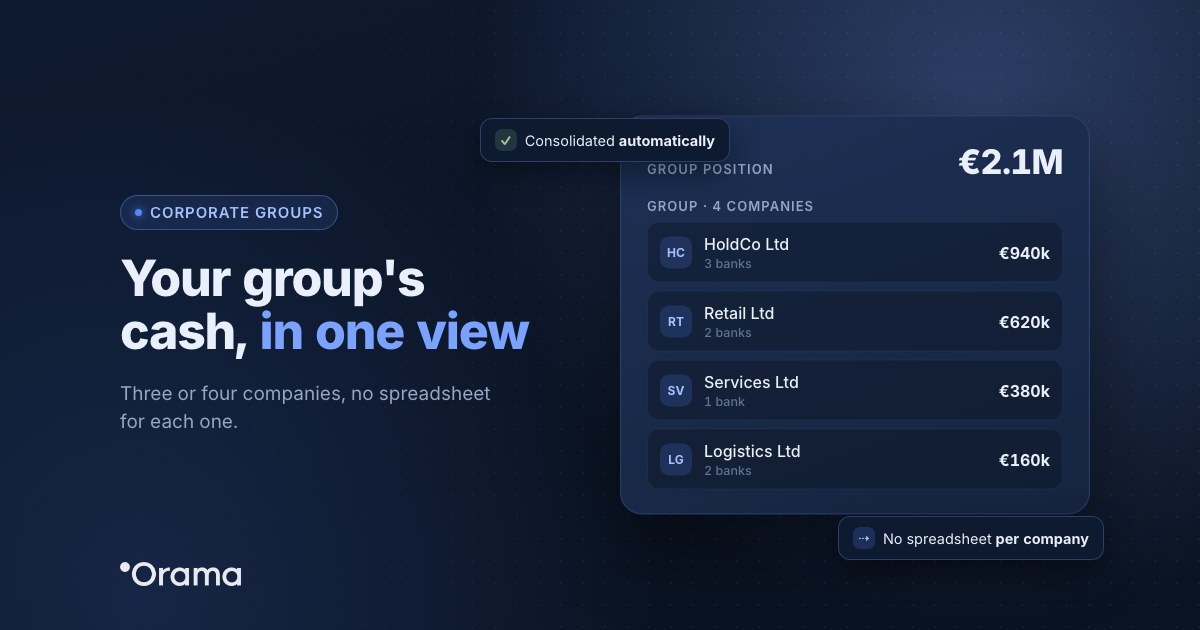
If you run 3 or 4 companies and keep each one’s cash in its own spreadsheet, the problem isn’t the spreadsheets: it’s that you never see at the same time how much cash the group has, which company will need money and which has too much. The fix is a consolidated view that adds up the accounts and forecasts of every company, without losing each one’s detail, and that updates itself from the banks.
This guide is for small groups of 2 to 10 companies with €0.5–20M in revenue: a parent with its subsidiaries, a property company and an operating one, or several businesses owned by the same partner and run by the same manager. You’ll see why one spreadsheet per company breaks down, how to set up a group view and how to handle loans between companies without inflating the forecast.
Why one spreadsheet per company stops working
With a single company, a well-kept cash spreadsheet holds up. With three or four, almost every group runs into the same problems:
- Nobody sees the total in time. To know the group’s cash you have to open every sheet, update each bank balance and add it all up. It happens once a month, if at all.
- Every sheet uses its own categories. «Suppliers» in one, «Purchases» in another: comparing companies turns into translation work.
- Movements between companies get counted twice. A loan from the parent to a subsidiary shows as a payment in one sheet and a receipt in the other, and adding them up by hand easily inflates the group’s income and spending.
- Cash crunches show up late. One subsidiary can run out of cash in three weeks while another has money sitting idle, and nobody notices until the overdraft arrives.
What a small group needs from cash management
| What you need | How a group view solves it |
|---|---|
| The whole group’s balance, today | A consolidated cash table that adds up every company’s accounts, with banks updated up to 4 times a day. |
| Knowing which company each movement belongs to | Every movement and every line item shows the company it comes from. |
| Comparing companies | The same income and spending categories across all group companies. |
| Leaving a company out | Choosing which companies are added up, for example to see only the operating ones without the property company. |
| Looking at one company | Each company keeps its own banks, line items and cash table. |
| Companies in another currency | One consolidation currency, with the exchange rate applied and the original amount visible. |
How to move from one spreadsheet per company to a single view
- Set up the group with a parent company. Each company has its own banks and line items; the parent sees the consolidated table of all of them.
- Connect each company’s banks. The connection is read-only (PSD2): nobody can move money from the tool.
- Share categories from the parent. If every company uses «Sales», «Suppliers», «Payroll» or «Taxes», their figures can be compared directly. A company with a very different business can keep its own categories.
- Decide which companies are added up. The property company that only charges rent to the others, or a company being wound up, can stay out of the consolidated view without deleting its data.
- Build each company’s forecast with its receipts, payments, payroll, taxes and loan instalments, 13 weeks out and 12, 18 or 24 months ahead. The consolidated view adds up all the forecasts.
Loans and transfers between companies without double-counting the forecast
In a small group it’s common for the company with cash to lend to the one that needs it, or for the parent to charge the subsidiaries management fees. To stop those movements distorting the group view:
- Keep them in their own line items, under a separate category (for example, «Transfers and loans between companies»), not mixed with sales or suppliers.
- Forecast both sides: the outflow in the lending company and the inflow in the receiving one, on the same date and for the same amount. That way the group’s balance doesn’t change and each company sees the effect.
- Look at the balance, not the totals, when you review the group: in the consolidated view those movements count as both inflows and outflows, so the group’s cash stays the same.
- Document every loan with a contract and a market interest rate. It’s a tax and accounting matter worth reviewing with your adviser.
The tool gives you the data to decide those transfers, but you move the money yourself from your bank.
Example: a group of four companies
Grupo Ribera (anonymised name) is a group based in Zaragoza with four companies and €9M in revenue: a parent that provides management services, a distributor, an installation company and a property company that owns the warehouse. Each company had its own spreadsheet, and the finance director spent Mondays putting together the group summary.
With a consolidated view, Monday now starts with the group’s and each company’s balance already up to date. He leaves the property company out to see only operating cash and, reviewing the 13-week forecast, sees that the installation company drops below its minimum balance in week 9 because a project payment has been pushed back, while the distributor is building up cash. Instead of drawing on a credit line, he forecasts a loan from the distributor to the installation company for that week, repaid in 60 days, and the group’s balance stays the same in the forecast.
How Orama does it
In Orama, group cash management works like this: each company keeps its banks, line items and settings, and from the parent company you see the consolidated cash table, the dashboard with the whole group’s balance and the movement lists with a column showing the company. You can share categories from the parent, choose which companies are added up and, if you have companies or accounts in another currency, choose the consolidation currency: Orama applies the official daily exchange rate and you can always see the original amount.
Banks update up to 4 times a day, 80–95% of movements reconcile automatically and, with email reports, the cash summary or a minimum-balance alert reaches whoever you choose every week, even if they aren’t users. There’s a step-by-step guide in Orama Academy (Grupo de empresas, in Spanish).
Want to see every company’s cash on one screen? Start the 7-day free trial, no card needed, or book a 30-minute demo. Group plans are at orama.ai/en/plans.
Frequently asked questions
How many companies do you need for a group view to be worth it?
Two. As soon as there’s a second company with its own banks, adding things up by hand takes time and happens too late. With three or four, the time saved and, above all, seeing cash crunches earlier usually pay off.
Can I see one company without the rest of the group?
Yes. Each company has its own cash table, and in the consolidated view you choose which companies are added up.
Does Orama move money between the companies?
No. The bank connection is read-only. Orama gives you the view of the group and of each company so you can decide the transfers, which you make yourself from your bank.
What if one company works in another currency?
You choose the group’s consolidation currency and Orama applies the official daily exchange rate. The original balance and amount of each movement remain visible, along with the exchange rate applied.
Can each manager see only their own company?
Yes. Permissions are set per user and per group company, so a subsidiary’s manager can see just theirs while management sees the consolidated view.