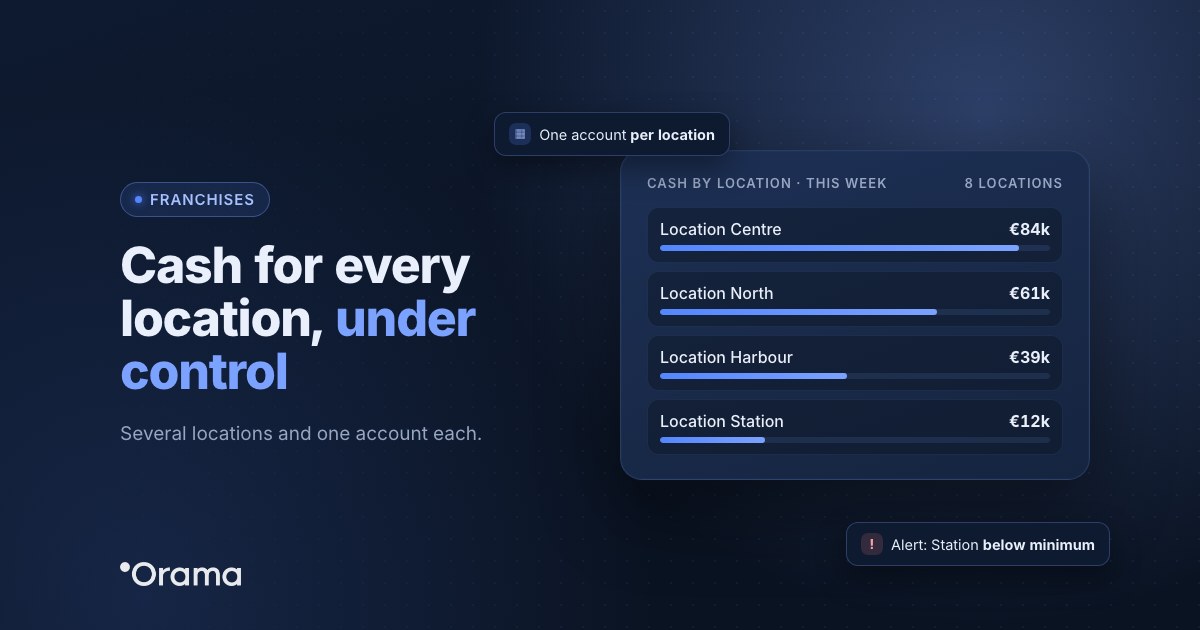
If you run a franchise or a chain of locations with one bank account per location, controlling cash means seeing two things at once: the whole network, to know whether you’ll cover the big payments, and each location, to spot the one heading into trouble before it stops paying suppliers. The simplest way is to have every account connected in one place and to split receipts and payments by location, whether each location is its own company or an account within the same company.
This guide is for small and mid-sized networks of 3 to 30 locations with €0.5–20M in revenue: franchisees with several units, restaurant or retail chains with their own sites, and franchisors who want to see their network. You’ll see how to organise cash by location, how to report to head office without collecting spreadsheets and how to forecast opening the next location.
What makes cash harder in a network of locations
- Each location collects and pays at its own pace. Sales come in daily through card terminals and payment gateways, but rent, payroll, royalties and suppliers go out on different dates at each site.
- One account per location multiplies the work. Eight locations means eight statements to check, and the network’s balance is only known once someone adds them up.
- The struggling location doesn’t show in the total. The network can have plenty of cash while one location builds up a negative forecast balance for weeks.
- Reporting to head office is done by hand. Each franchisee sends a spreadsheet and the network meeting runs on last month’s closing figures.
Two ways to organise cash by location
| Each location is a company | All locations in the same company | |
|---|---|---|
| When it fits | Each location has its own tax ID, partners or franchisee. | One company with several of its own sites and one account per site. |
| How cash is separated | Each company has its own banks and line items, and a group view adds them up. | Each bank account belongs to a location, and receipts and payments are assigned to a project or cost centre per location. |
| How you see the network | The group’s consolidated cash table, with each company’s detail. | The company’s cash table broken down by account, plus a report per location. |
| Who sees what | Each franchisee sees their company and head office sees the consolidated view. | Per-user permissions depending on what each manager needs to see. |
Either way, what matters is using the same income and spending categories at every location (sales, rent, staff, royalties, suppliers) so they can be compared.
What to check every week
- The network’s balance and each location’s, with banks up to date, not the month-end figure.
- Locations whose forecast balance drops below their minimum in the coming weeks: that’s your priority list.
- The big payments ahead: quarterly rent, taxes, the extra salary payment, royalties.
- Forecast against actual for each location, to see which one is selling less than expected.
Forecasting the next opening
Opening a location uses up cash for months before it pays it back: fit-out, deposit, equipment, opening stock, staff before opening and sales that take time to reach their normal level. Before signing, it’s worth simulating it as a scenario on top of the network’s forecast:
- The opening payments, on their dates (fit-out by stage, deposit on signing, equipment on delivery).
- The new location’s fixed costs from the first month.
- Sales that build up gradually to the level of a mature location, with a cautious version in case it takes longer.
- Financing, if any: when the loan comes in and when instalments start.
That shows you the network’s lowest cash point and whether the other locations can carry the opening or you need to finance it.
Example: a network of eight locations
Brasa Norte (anonymised name) is a restaurant chain with eight of its own locations in northern Spain, €6M in revenue and one account per location across three banks. Every Monday, the finance manager downloaded eight statements to see how the week had gone.
With every account connected in one place and receipts and payments split by location, she now sees the network’s and each location’s cash every Monday, and gets an email alert when a location is about to fall below its minimum balance. In September, the forecast shows that the location opened in spring will drop below its minimum in November, just when quarterly rent and VAT fall due together. She moves funds from the two locations with the most cash in time and, after simulating the ninth opening, decides to push it back to March so it doesn’t clash with January’s payments.
How Orama does it
With Orama for franchises you can work either way. If each location is a company, the group of companies adds up their cash from the parent company, with each one’s detail and permissions so each franchisee sees only theirs. If all locations belong to the same company, each bank account appears separately in the cash table and projects let you assign receipts and payments to each location, in full or by percentage, and see them in their own report (projects are included in the Advanced, Full Edition, Full Advanced and Custom plans).
Banks update up to 4 times a day, payouts from gateways such as Redsys or Stripe are broken down and reconciled, and with email reports head office and each manager receive the summary or the minimum-balance alert, even if they aren’t users. For the next opening you have cash flow scenarios. There’s also a guide to running several companies in Orama Academy (Grupo de empresas, in Spanish).
Want to see every location’s cash on one screen? Start the 7-day free trial, no card needed, or book a 30-minute demo. Plans are at orama.ai/en/plans.
Frequently asked questions
Keep reading: you may also want to see how to see the cash of a group with several companies, what cash flow is and how to calculate it and when a spreadsheet is enough and when you need treasury software.