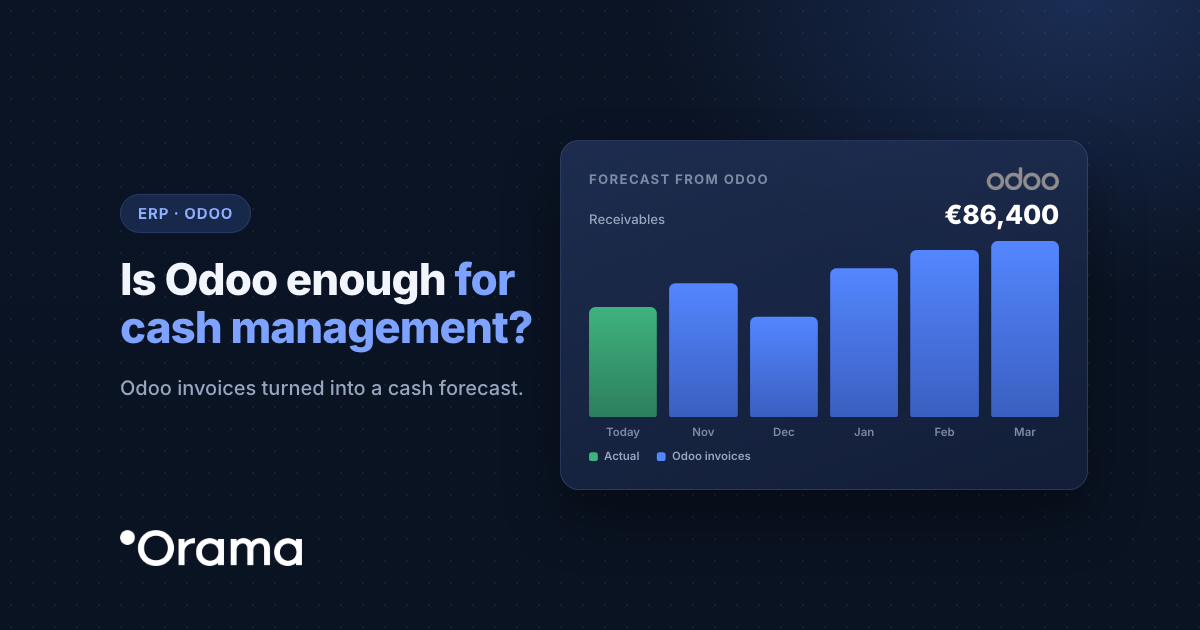
Odoo doesn’t fall short as an ERP, but it isn’t built to tell you how much cash you’ll have in six weeks’ time across all your banks. That’s where Orama comes in: every 2 hours it reads your confirmed Odoo invoices, matches them against your bank transactions and builds your cash flow forecast, without changing the way you work in Odoo.
If your company invoices in Odoo but still tracks cash in a spreadsheet, this article covers what Odoo does well, which part of cash management it leaves out, what data Orama syncs, what you need to connect it and how it all works for an example SME.
What Odoo does well and what it doesn’t cover on cash
Odoo brings accounting, invoicing, purchasing and inventory together in one database, and each app feeds the next. What it doesn’t do is project your cash: it tells you what is outstanding, not which week you’ll run short.
| Topic | What Odoo does well | What cash management also needs |
|---|---|---|
| Invoices | Confirms sales and purchase invoices and stores their due dates. | Only confirmed invoices count as expected collections or payments, so drafts never distort the forecast. |
| Bank journals | Reconciles the bank journals you set up in Accounting. | One balance across every bank and every company, without a journal per account. |
| Credit notes and batches | Records credit notes and direct debit batches. | The credit note reduces the expected invoice and the batch is broken down into its collections. |
| Multi-company | Keeps companies separate in the same database. | A consolidated group view you can open company by company. |
| Horizon | Reports what is overdue and outstanding. | Week-by-week projection for the next 3 months and month by month up to 24, with scenarios. |
What Orama syncs from Odoo, and how often
- Confirmed invoices from customers and suppliers. Drafts aren’t imported.
- Credit notes, which are deducted from the forecast.
- Collection and payment batches.
Orama syncs your Odoo data every 2 hours. Banking runs separately: Orama reads your accounts via PSD2, read-only, up to 4 times a day, and as soon as a payment or receipt arrives it matches it to its Odoo invoice. Between 80% and 95% reconcile without you touching anything.
Requirements
- Odoo Community or Enterprise, version 13 or later.
- A user with read access to Accounting, who creates the API key.
- If Odoo runs on your own servers, its XML-RPC API must be reachable from the internet.
- If you run a multi-company Odoo, you need to know which company maps to each company in Orama.
How to connect Odoo to Orama
- In Odoo, open your user profile › Account Security › New API Key and copy the key. It’s only shown once.
- In Orama, click the settings cog › Integrations and open the Odoo card.
- Enter the domain, the database, the user’s email, the API key and, if applicable, the company. Orama checks the connection and within a few minutes your invoices will appear under Lists › Invoices.
Screenshots of every step are in the Orama Academy guide (in Spanish): Connect Odoo to Orama (in Spanish).
Common issues with Odoo and how to fix them
| What happens | How to fix it |
|---|---|
| Invoices you can see in Odoo are missing | Only confirmed invoices come through. If they’re drafts, confirm them. Also check that the API key user has read access to Accounting. |
| The connection fails validation | Check the domain, database, email and key, pasted without spaces. If someone revoked the key, create a new one under Account Security. |
| Odoo runs on your own servers | Its XML-RPC API must be reachable from the internet; if it sits behind a VPN, Orama can’t read it. |
| Invoices from two companies get mixed | Use the Company field to set which Odoo company maps to each Orama company. |
Example: a machining firm with two companies in Odoo
Mecanizados Moncayo (anonymised name) is a company in Zaragoza with an annual turnover of €6M. It runs two companies in the same Odoo instance (the factory and a sales company), works with four banks and has a €300,000 credit facility. Its finance and admin manager used to spend Monday mornings logging into each bank in turn and copying due dates exported from Odoo into a spreadsheet.
With Orama, each company is linked to its own company in Orama and all four banks are authorised. Confirmed invoices flow in automatically as expected receipts and payments, and the spreadsheet is no longer needed.
In May, the consolidated forecast shows that the week of 20 July brings the quarterly VAT payment (€95,000), the summer extra month’s salary that Spanish employers pay in July (€120,000) and a payment to the steel supplier (€140,000), all at once. On top of that, the biggest customer’s payment, due on 15 July, usually arrives three weeks late. Running the “what if they pay late?” scenario, the sales company’s cash drops to −€40,000 that week. With ten weeks’ notice, the manager agrees to pay the steel supplier in two instalments and keeps the credit facility as a buffer, rather than finding out on the day.
More on ERPs and cash management: Is your ERP falling short on cash management? and the Orama Academy article Connect Odoo to Orama (in Spanish).
Want to see the next few months of cash with your Odoo invoices and your real banks? Try Orama free for 7 days, no card required, or book a 30-minute demo and we’ll walk through your case.
Start the free trial · Book the demo
Frequently asked questions
Keep reading: you may also want to see what treasury software for an SME should include, when a spreadsheet is enough and when you need treasury software and what cash flow is and how to calculate it.